Tag: KloudConnectors

  • Zoey and QuickBooks Online Connector is here !

    Zoey and QuickBooks Online Connector is here !

    Zoey and QuickBooks Online Connector

    Zoey and QuickBooks Online Connector is here !

    Kloud Connectors is happy to announce addition of one more Connector to our family, Zoey to QuickBooks Online connector. Now, Zoey ECommerce users can sync their Sales Orders, Customers, Products and relevant taxes seamlessly with one of the best online Accounting software QuickBooks Online.

    Managing Accounting for eCommerce shop is very critical to their success. This connector is designed to follow help customers solve this problem. It allows you to sync ZoeyCommerce Orders, Customers and Products with QuickBooks Online. This ensures your ecommerce/ inventory management/warehouse management team/Accounting team are on the same page.

    This integration between ZoeyCommerce and QuickBooks Online by Kloud Connectors gives you an ability to schedule the automated sync timing. This way, you don’t have to remember to sync them, the changes will get synced automatically everyday at the time of your choice. The dashboard of Kloud Connectors account show you Sync Details , Sync Errors if any, so that you can take corrective actions immediately. You can also set up to receive an email so that you don’t have to login to the account everyday. Email would be sent only when there are errors.

    Giving such transparency in syncs, such control over data to all the users is a hallmark of Kloud Connectors. And for this connector as well, we have provided all these facilities. This will give a consistent experience to all our users. As usual, this connector comes with unlimited data sync capabilities.

    15 days Free Trial is available for Zoey to QuickBooks Online connector so that you can see it in action before clicking the buy button. The price of monthly subscription, where there is no limit on number of records imposed by us, is priced very attractively at US$ 29.99 per month. Use this connector once and never do the manual data entry again.

    If you are a Zoey Commerce User and QB Online fan, why don’t you give it a try ? Trial is Free.

    Try Now annual planmonthly plan


    Watch How to Setup Zoey to QuickBooks Online Connectors


  • WooCommerce to QuickBooks Online Connector is here !

    WooCommerce to QuickBooks Online Connector is here !

    woocommerce-to-quickBooks-Online-Connectors-Banner

    WooCommerce to QuickBooks Online Connector is here !

    Kloud Connectors is happy to announce addition of one more Connector to our family, WooCommerce to QuickBooks Online connector. Now, WooCommerce users can sync their Sales Orders, Customers, Products and relevant taxes seamlessly with one of the best online Accounting software QuickBooks Online.

    Managing Accounting for eCommerce shop is very critical to their success. This connector is designed to follow help customers solve this problem. It allows you to sync WooCommerce Orders, Customers and Products with QuickBooks Online. This ensures your ecommerce/ inventory management/warehouse management team/Accounting team are on the same page.

    This integration between WooCommerce and QuickBooks Online by Kloud Connectors gives you an ability to schedule the automated sync timing. This way, you don’t have to remember to sync them, the changes will get synced automatically everyday at the time of your choice. The dashboard of Kloud Connectors account show you Sync Details , Sync Errors if any, so that you can take corrective actions immediately. You can also set up to receive an email so that you don’t have to login to the account everyday. Email would be sent only when there are errors.

    Giving such transparency in syncs, such control over data to all the users is a hallmark of Kloud Connectors. And for this connector as well, we have provided all these facilities. This will give a consistent experience to all our users. As usual, this connector comes with unlimited data sync capabilities.

    15 days Free Trial is available for WooCommerce to QuickBooks Online connector so that you can see it in action before clicking the buy button. The price of monthly subscription, where there is no limit on number of records imposed by us, is priced very attractively at US$ 29.99 per month. Use this connector once and never do the manual data entry again.


    If you are a Shopify User and QB Online fan, why don’t you give it a try ? Trial is Free.

    Try Now annual planmonthly plan

    Watch How to Setup WooCommerce to QuickBooks Online Connector.

  • Magento to QuickBooks Online Connector is here !

    Magento to QuickBooks Online Connector is here !

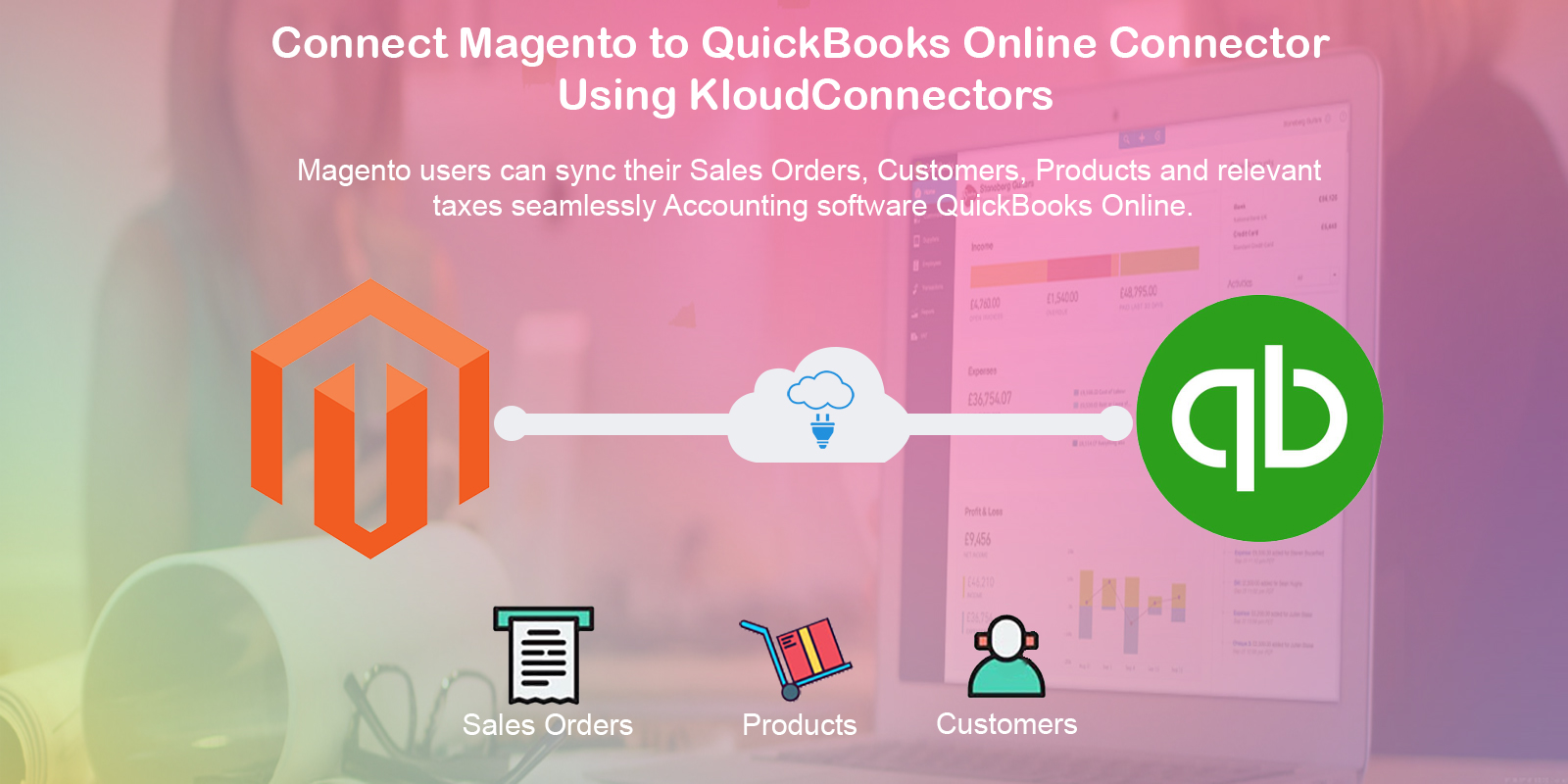
    Magento-to-QuickBooks-Online-Connectors

    Magento to QuickBooks Online Connector

    Kloud Connectors is happy to announce addition of one more Connector to our family, Magento to QuickBooks Online connector. Now, Magento users can sync their Sales Orders, Customers, Products and relevant taxes seamlessly with one of the best online Accounting software QuickBooks Online.

    Managing Accounting for eCommerce shop is very critical to their success. This connector is designed to follow help customers solve this problem. It allows you to sync Magento Orders, Customers and Products with QuickBooks Online. This ensures your ecommerce/ inventory management/warehouse management team/Accounting team are on the same page.

    This integration between Magento and QuickBooks Online by Kloud Connectors gives you an ability to schedule the automated sync timing. This way, you don’t have to remember to sync them, the changes will get synced automatically everyday at the time of your choice. The dashboard of Kloud Connectors account show you Sync Details , Sync Errors if any, so that you can take corrective actions immediately. You can also set up to receive an email so that you don’t have to login to the account everyday. Email would be sent only when there are errors.

    Giving such transparency in syncs, such control over data to all the users is a hallmark of Kloud Connectors. And for this connector as well, we have provided all these facilities. This will give a consistent experience to all our users. As usual, this connector comes with unlimited data sync capabilities.

    15 days Free Trial is available for Magent to QuickBooks Online connector so that you can see it in action before clicking the buy button. The price of monthly subscription, where there is no limit on number of records imposed by us, is priced very attractively at US$ 29.99 per month. Use this connector once and never do the manual data entry again.

    If you are a Magento User and QB Online fan, why don’t you give it a try ? Trial is Free.

    Try Now annual planmonthly plan

    Watch How to link Magento to QuickBooks Online Connectors 

  • Shopfiy to QuickBooks Online Connector is here !

    Shopfiy to QuickBooks Online Connector is here !

    Link Shopfiy to QuickBooks Online Connector

     Shopify to QuickBooks Online Connector

    Kloud Connectors is happy to announce addition of one more Connector to our family, Shopify to QuickBooks Online connector. Now, Shopify users can sync their Sales Orders, Customers, Products and relevant taxes seamlessly with one of the best online Accounting software QuickBooks Online.

    Managing Accounting for eCommerce shop is very critical to their success. This connector is designed to follow help customers solve this problem. It allows you to sync Shopify Orders, Customers and Products with QuickBooks Online. This ensures your ecommerce/ inventory management/warehouse management team/Accounting team are on the same page.

    This integration between Shopify and QuickBooks Online by Kloud Connectors gives you an ability to schedule the automated sync timing. This way, you don’t have to remember to sync them, the changes will get synced automatically everyday at the time of your choice. The dashboard of Kloud Connectors account show you Sync Details , Sync Errors if any, so that you can take corrective actions immediately. You can also set up to receive an email so that you don’t have to login to the account everyday. Email would be sent only when there are errors.

    Giving such transparency in syncs, such control over data to all the users is a hallmark of Kloud Connectors. And for this connector as well, we have provided all these facilities. This will give a consistent experience to all our users. As usual, this connector comes with unlimited data sync capabilities.

    15 days Free Trial is available for Shopify to QuickBooks Online connector so that you can see it in action before clicking the buy button. The price of monthly subscription, where there is no limit on number of records imposed by us, is priced very attractively at US$ 29.99 per month. Use this connector once and never do the manual data entry again.

    If you are a Shopify User and QB Online fan, why don’t you give it a try ? Trial is Free.

    Try Now annual planmonthly plan

    Watch How to link Shopify to Quickbooks Online.

  • KloudConnectors vs Zapier

    KloudConnectors vs Zapier

    KloudConnectors-vs-zapier

    What makes KloudConnectors different from trigger-based tools like Zapier?

    Zapier works great when you need to push data from one app to the other.
    Use KloudConnectors to have to use two apps to complete a business process using your apps.

     1 

    Can you fully sync my data between two apps?

    Zapier  doesn’t currently offer two-way syncing features like version merging or version conflict resolution and most supported apps don’t have triggers for updated data.

    KloudConnector  does it. The philosophy is to try to connect two apps to form some end to end use case. If the use case requires two way sync.

    Example. For Zoho to Xero connector, we expect Invoices , Purchase orders, Customers, Vendors, products to sync from Zoho CRM to Xero. But when the status of invoice changes in Xero , that status is updated in Zoho CRM.

     2 

    If I update something in one app, will that change be reflected in the other app?

    Zapier In most cases, no. 

    KloudConnector Yes. KloudConnectors constantly monitors the records in the source app, and when it detects changes, it updates the data in the other app too, keeping everything in sync.

     3 

    Do you work with existing data? (i.e. data that existed prior to making a Zap…)

    Zapier Data that was created before your Zap was turned On will not be acted upon.

    KloudConnector Yes and no. When you start subscription, it starts sync from that day onwards but one can also ask for full sync at an additional cost.

     4 

    Do you also create custom connectors based on customers requirements ?

    Zapier No

    KloudConnectors  Yes. We do build custom connectors for our customers based on their exact requirements.

     5 

    What is the frequency of the sync ? Do you have any restriction on number of records synced ?

    In Zapier You can sync upto every 15 minutes by opting for higher cost plans. Number of record syncs are limited by the restriction mentioned in the plan.

    KloudConnectors One can sync on demand anytime. The automated syncs happen every 12 hours. One can opt for frequent syncs as well at an additional cost. We have only single plan for every connector and we offer unlimited record syncs. So at any point in time you would pay the same amount every month irrespective of the volume.

     6 

    Can you explain Business Process level(KloudConnectors) integration vs Data Level integration (others) ?

    Usually, data is synced for two primary reasons. One is just to sync data from one system to the other. Another way is to integrate to form a full end to end business process. Let’s take an example of our ZohoCRM to MailChimp connector.

    Ideally a business would like to sync leads, contacts and campaigns to MailChimp list, once the campaign is sent from MailChimp, they would like to see which contact / lead had opened, bounced, unsubscribed in their Zoho CRM. Also they would like so see who has subscribed to their MailChimp forms in Zoho CRM.

    If one has to do the same with Zapier, we will have to create 7-8 zaps and try to simulate this business process. On the other hand, KloudConnectors connector does this systematically by following a process and achieving all this very easily.

    Zapier is built as a hub and spoke model whereas KloudConnectors builds every connector by considering how this can be used in real life situation. All Kloud Connectors connectors are tightly integrated with the systems they connect and hence offer better integration.


    When to choose Zapier ?

    •  If you need an if-this-then-that scenario, like a message appearing in the company chat every time somebody signs up for your newsletter.
    • When you don’t need the apps to talk to each other in both directions
      When your data is very small.
    • When you don’t want other system to be updated when source system is updated.


    When to choose KloudConnectors ?

    • When you want other system to be updated when you make a change in the source system. Eg you are syncing contacts and you updated email id or mobile number and want other system should be updated as well
    • When you want deeper integration and looking for end to end business process integration
    • When you want to process unlimited records
    • When you are looking for peace of mind and improve your productivity.
  • Zoey To Zoho CRM Connector

    Zoey To Zoho CRM Connector

    zoey-to-zoho-crm_kloudconnectors

    Zoey To Zoho CRM Connector 

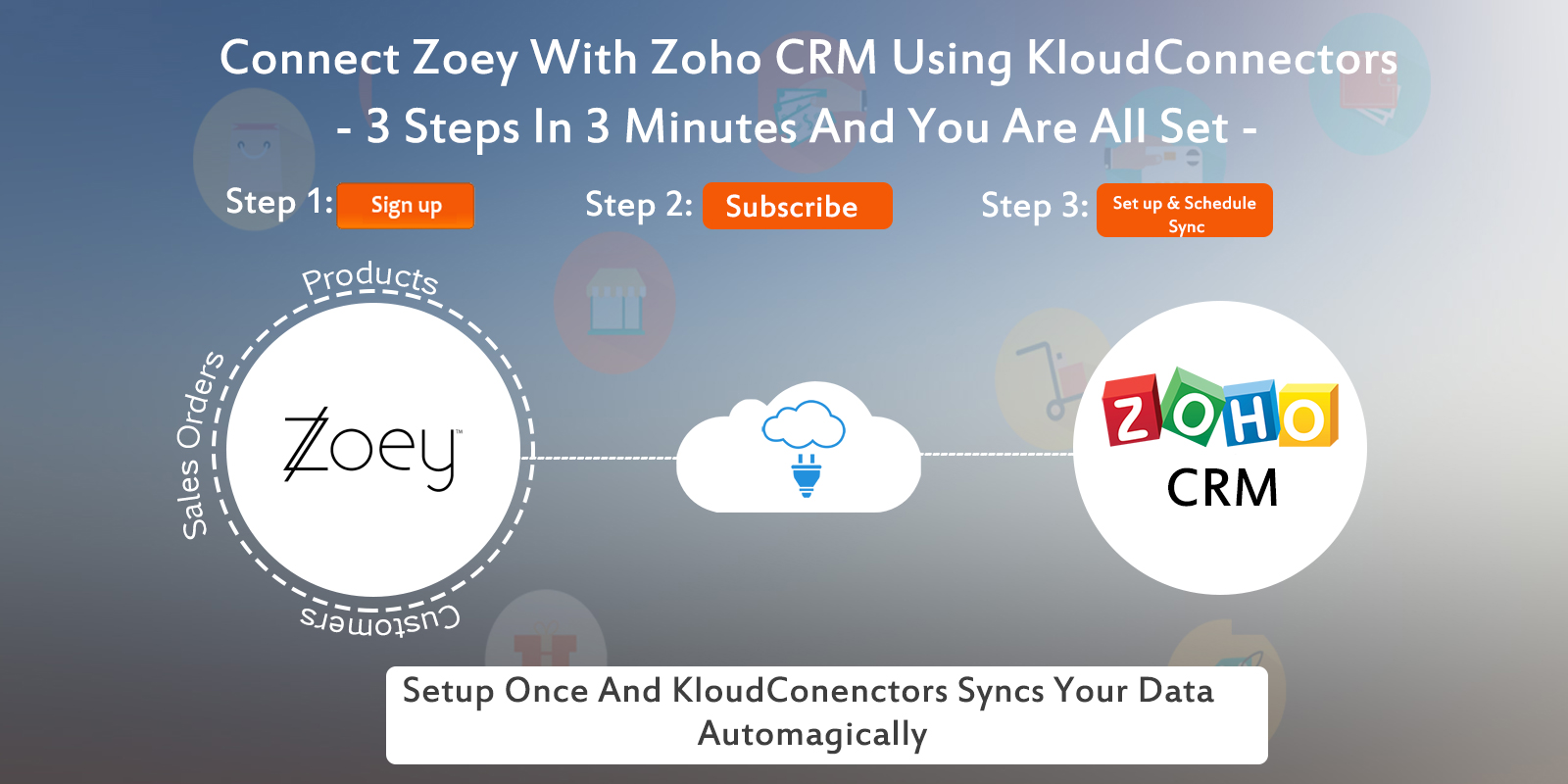
    Kloud Connectors is happy to announce addition of one more Connector to our family, Zoey To Zoho CRM Connector. Now, Zoey users can sync their Sales Orders, Customers, Products with one of the best Customer relationship management software – Zoho CRM.

    Description:

    Identify Cross sale and Up sale opportunities, Increase your sale multifold by subscribing to this Zoey based app

    • Benefit more from your Zoho CRM by having every single piece of information about customer order in it using this Zoho CRM Add-on
    • Stop going back and forth between your Zoho CRM and Zoey for Important Business information
    • No more Disconnect between your Customer Database and your E-Commerce system. Use customer data for targeted email marketing
    • Track your sales with Sales forecast and Actual sales in the same system with tight Integration between 2 Clouds.

    List of Features:

    Schedule the Sync once and Enjoy the benefits every single day. Focus on your core business

    • Get your popular Products autoMagically from your Zoey to Zoho CRM, as a result your sales team will be on same page with the rest
    • Keep your CRM up to date. See customer orders from your Zoey getting updated as Sales Orders in your Zoho CRM autoMagically
    • Make Customer Information directly and automatically available to your Sales team through Zoho CRM, making their tasks easier
    • In addition to above features, Connect your 2 most Important Systems of your Business, your CRM and your E-Commerce system with this E-Commerce plugin.
    • Finally, you can  can set up the connector once and it runs automatically. Connector also comes with Sync on Demand option as a result you can force the sync if you want to sync immediately.

     In Paid plan you will get following facilities :

    SYNC ANY TIME, UNLIMITED CUSTOMERS SYNCING, UNLIMITED PRODUCTS SYNCING, UNLIMITED SALES ORDER RELATED CUSTOMERS , PRODUCTS SYNCING.

    If you are using Zoey and trying to increase your customers engagement and revenue,  why don’t you give it a try ? Trial is Free.If you have any questions, please get in touch with us on support@kloudconnectors.com

    Try Now annual planmonthly plan


    How to Setup Zoey to Zoho CRM Connector

    Support/Contact Information:

    You can also write to us about your issues at
    support@kloudconnectors.com
    Need to discuss more about a product before buying ?
    Our Sales team would love to talk to you. Write to them at sales@kloudconnectors.com
    You can also reach us on our Phone Numbers
    US +1 917-720-3661
    UK +44-08447048669
    IN +91-20-25393381


  • Zoey To XERO Connector

    Zoey To XERO Connector

    Zoey To XERO Connector.

    Zoey To XERO Connector Is Here

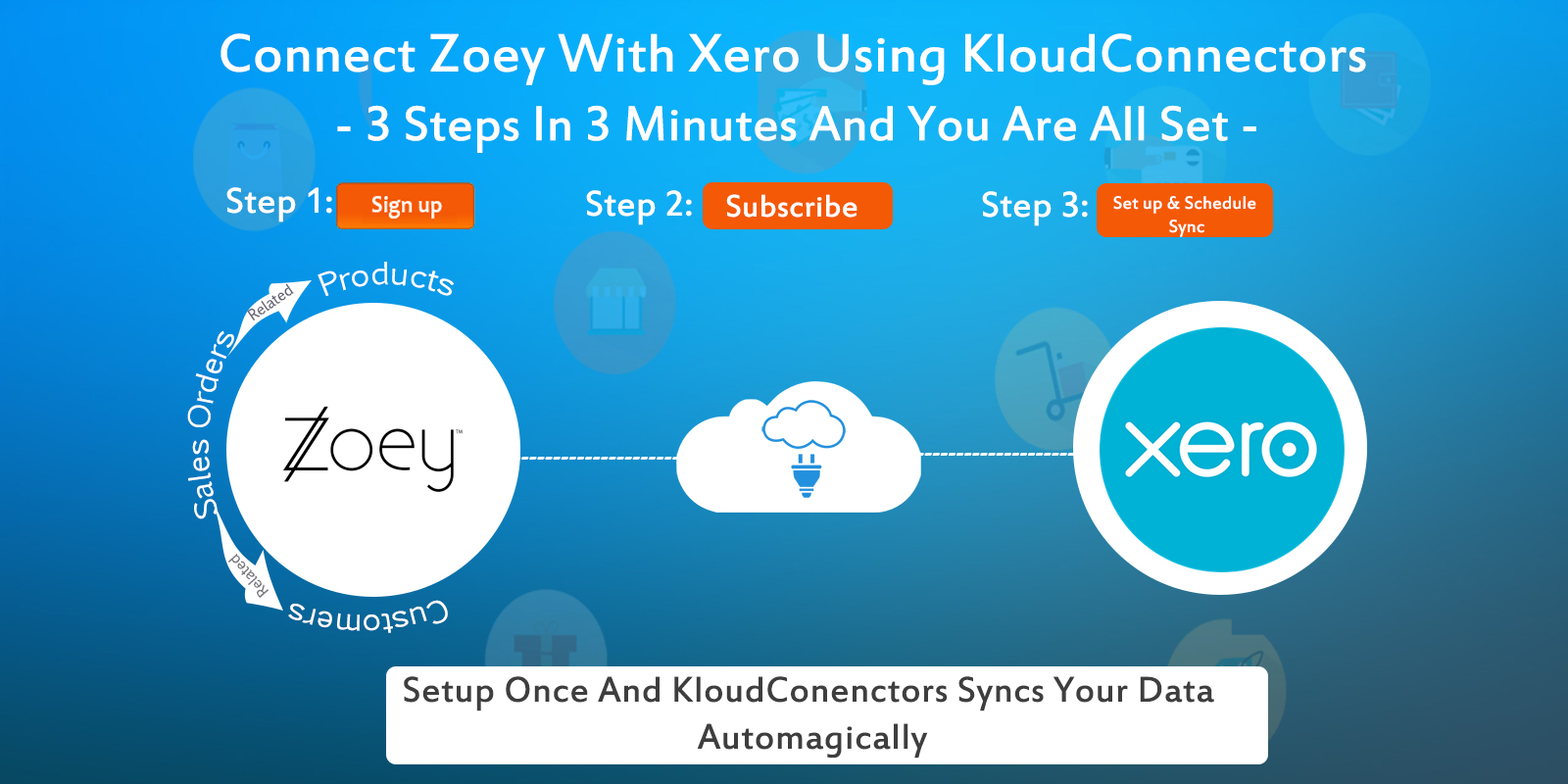
    Kloud Connectors is happy to announce addition of one more Connector to our family, Zoey to XERO Connector. Now, Zoey users can sync their Sales Orders related Customers and Products with one of the most exciting Accounting software XERO.

    Description:

    ZoeyTX integrates Ecommerce system with the Accounting Software

    • firstly, connects your Zoey and Xero using Zoey To XERO Connector.
    • It can also sync all your Zoey Orders along with the related Contacts and Products information into your Xero
    • most of all, It can sync all your products present in Zoey into your Xero

    List of Features:

    Schedule the Sync once and Enjoy the benefits every single day. Focus on your core business

    • Get your popular Products autoMagically from your Zoey to XERO, as a result your sales team will be on the same page with the rest
    • See customer orders from your Zoey getting updated as Invoices in your XERO autoMagically
    • In addition to above features, it Connect your 2 most Important Systems of your Business, your Accounting Software and your E-Commerce system with this E-Commerce plugin.
    • Finally, you can  can set up the connector once and it runs automatically. Connector also comes with Sync on Demand option as a result you can force the sync if you want to sync immediately.

      In Paid plan you will get following facilities:

      SYNC ANY TIME, UNLIMITED SALESORDER RELATED CUSTOMERS , PRODUCTS SYNCING

    15 days Free Trial is available for ZoeyTX Conncetor so that you can see it in action before clicking the buy button. The price of monthly subscription, where there is no limit on number of records imposed by us, is priced attractively at US$ 30.00 per month. For such a small amount, what you get is a hassle free working with both the systems that you love, Zoey and XERO.

    If you are a XERO User and Zoey fan, why don’t you give it a try ? Trial is Free.
    Try Now annual planmonthly plan


    Watch How to Setup Zoey to Xero Connector


    Support/Contact Information:

    Have a Question about our Connectors ?

    You can also write to us about your issues at
    support@kloudconnectors.com
    Need to discuss more about a product before buying ?
    Our Sales team would love to talk to you. Write to them at sales@kloudconnectors.com
    You can also reach us on our Phone Numbers
    US +1 917-720-3661
    UK +44-08447048669
    IN +91-20-25393381

  • Zoey to Zoho Books Connector

    Zoey to Zoho Books Connector

    Zoey To Zoho Books Connector.

    Zoey to Zoho Books Connector

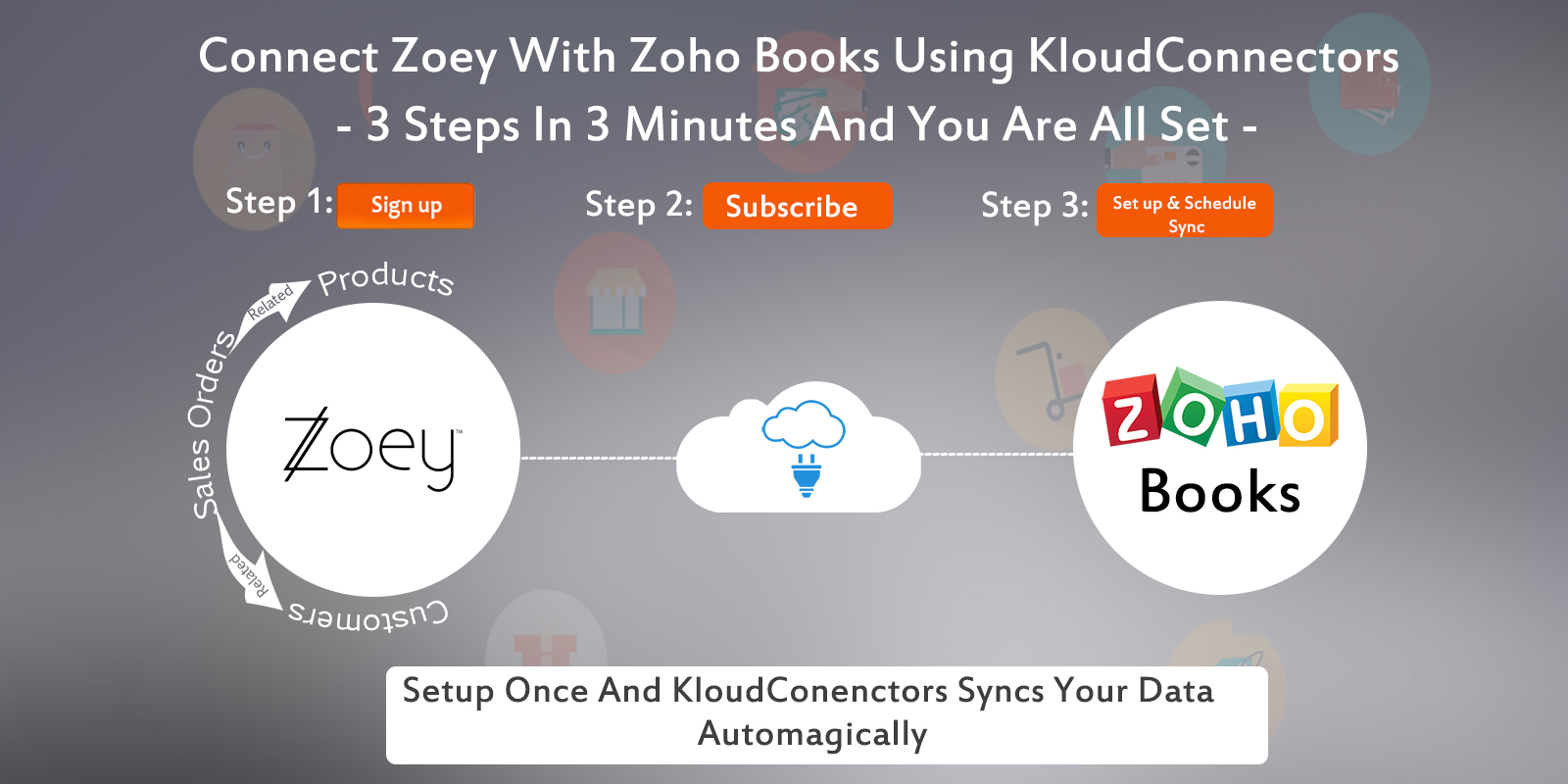
    Kloud Connectors is happy to announce addition of one more Connector to our family, Zoey to Zoho Books Connector. Now, Zoey users can sync their Sales Orders related Customers and Products with one of the most exciting Accounting software Zoho Books.

    Description:

    ZoeyTZBooks integrates Ecommerce system with the Accounting software.

    • Firstly, Zoey to Zoho Books Connector connects your Zoey and Zoho Books.
    • It can sync all your Orders and also related Contacts and Products in Zoho Books.
    • The most important thing is, it also syncs the status of your Zoey Orders into Zoho Books. This is especially relevant as all the accounting entries are done automagically.  

    List of Features:

    Schedule the Sync once and Enjoy the benefits every single day. Focus on your core business

    • Get your popular Products autoMagically from your Zoey to Zoho Books and ensure your sales team is on the same page with the rest.
    • See customer orders from your Zoey getting updated as Sales Orders in your Zoho Books autoMagically.
    • In addition to above features, this also connects your 2 most Important Systems of your Business, your Accounting Software and your E-Commerce system with this E-Commerce plugin.
    • Finally, you can  can set up the connector once and it runs automatically. Connector also comes with Sync on Demand option as a result you can force the sync if you want to sync immediately.

    In Paid plan you will get following facilities:

    SYNC ANY TIME, UNLIMITED SALESORDER RELATED CUSTOMERS , PRODUCTS SYNCING.

    15 days Free Trial is available for ZoeyTZBooks Conncetor so that you can see it in action before clicking the buy button. The price of monthly subscription, where there is no limit on number of records imposed by us, is priced attractively at US$ 30.00 per month. For such a small amount, what you get is a hassle free working with both the systems that you love, Zoey and Zoho Books.

    If you are a Zoho Books User and Zoey fan, why don’t you give it a try ? Trial is Free.
    Try Now annual planmonthly plan


    Watch How to Setup Zoey To Zoho Books Connectors

    Support/Contact Information:

    Have a Question about our Connectors ?

    You can also write to us about your issues at

    support@kloudconnectors.com

    Need to discuss more about a product before buying ?

    Our Sales team would love to talk to you. Write to them at sales@kloudconnectors.com

    You can also reach us on our Phone Numbers

    US +1 917-720-3661

    UK +44-08447048669

    IN +91-20-25393381

  • New features in KloudConnectors !!!

    New features in KloudConnectors !!!


    As world is celebrating holiday season, our team is working hard to improve our customer experience. We would be rolling out following features in all our kloudconnectors.

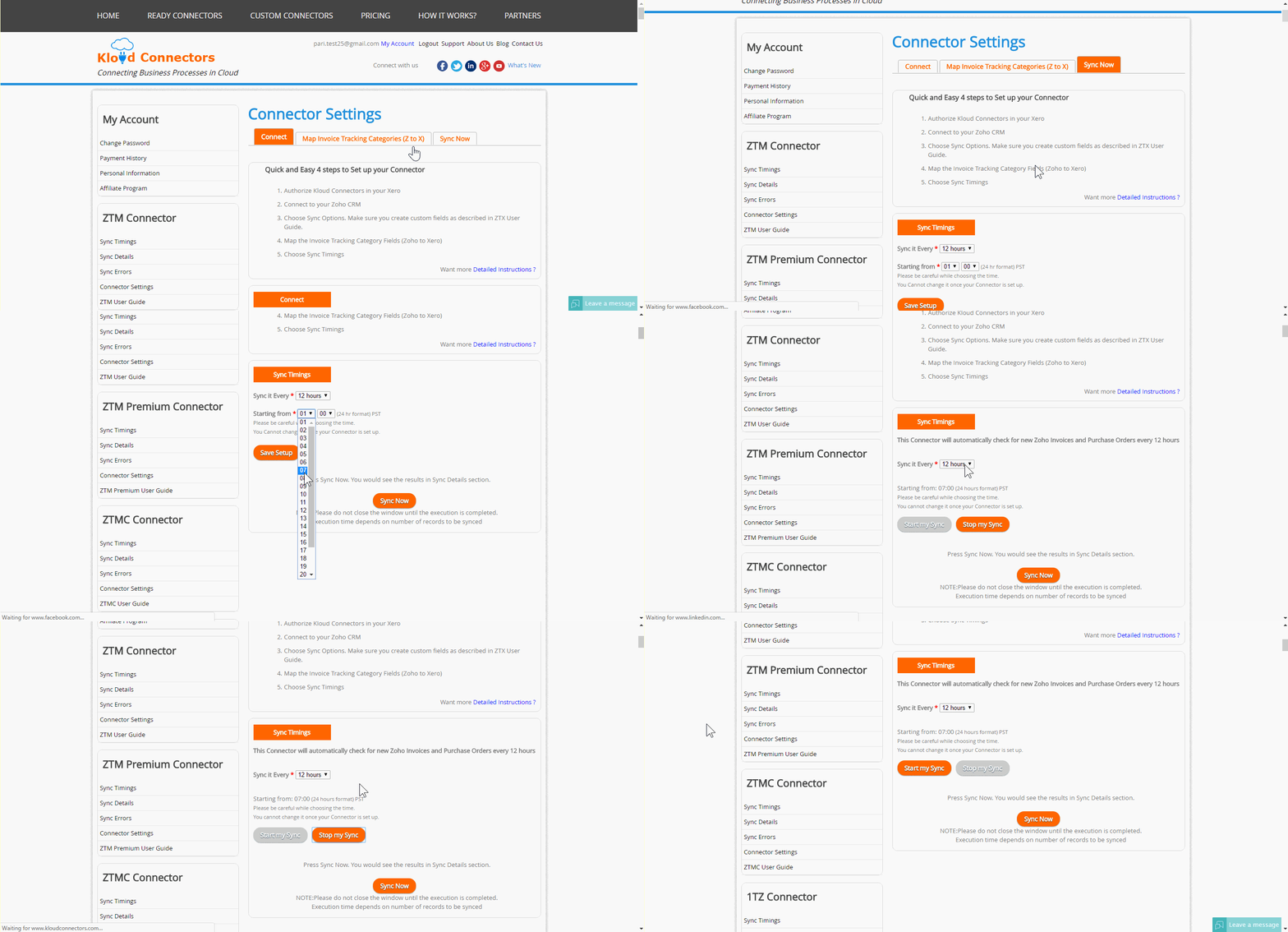
    • Start and stop sync : Sometimes, you would like to stop your syncs for few days or few weeks by keeping your subscription on for some reason. Earlier you had to send an email to us for doing this. Now it is available in the connector dashboard so that you can put a temporary pause on the connector and start.


      •  Sync errors email notifications : Many customers had requested us to notify them if there were errors in their syncs. Earlier they had to login to KloudConnectors to find errors. Now, they would get an email from KloudConnectors if their syncs result in errors.


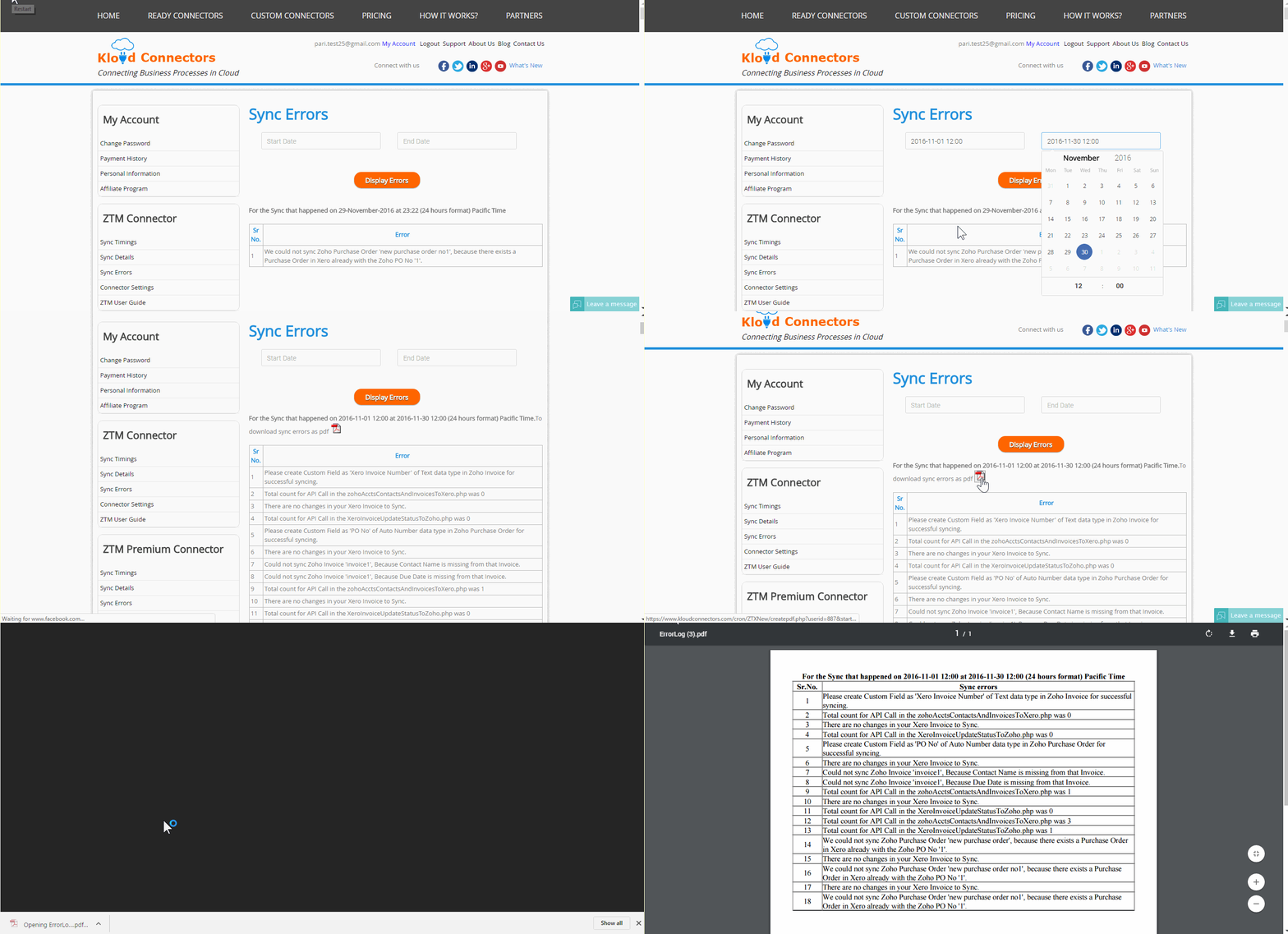
      • Sync error history : We have added a feature which would help customers to find sync errors between two dates for their customers. You can specify dates and we shall give you pdf download with all the sync errors.


    We hope this would improve your experience with Kloud Connectors.

  • 5 Steps to Get Your Business Ready for the Holiday Sales Season !!

    5 Steps to Get Your Business Ready for the Holiday Sales Season !!

    5-steps-to-get-your-business-ready-for-the-holiday-sales-season

    Holiday season generates maximum business in the shortest period for most of the online businesses. The preparation for holiday season starts at least 6 months earlier in most of the businesses. Few businesses are little late and they start waking up just before the holiday season. This article is for these businesses to get their act together for holiday sales seasons in the shortest possible time.

    1. Your website : 

    Your website is your face to the world. Use following check list to check about this.

    • Responsive design : Make sure that your website is responsive. What we meant by responsive is that it should render correctly on mobile devices viz mobile and tablet. Remember, according to survey 60% of the visitors visit via mobile devices. So if your website is not mobile friendly, please work on this aspect on war footing. Talk to us if you need any expedited help.
    • Website content : Please check your website for the appropriate content. Writing clean and original content improves your website ranking and helps in SEO.
    • Metadata and Keywords : Please make sure that you use correct metadata and keywords so that your site can be found by search engines.
    • Set up google analytics : Set up google analytics for monitoring the visitors, goals , behaviors etc of your visitors. Analyze the traffic at all times and make the appropriate corrections
    • Security vulnerabilities : Check if your site has any security vulnerability. Speak to experts and get the audit done.
    • Load Testing : During the holiday season, the traffic to your site may increase multi-fold. Work with your IT team and get your site load tested to avoid crashes during the peak season.

    2. Products and pricing :

    • Product upload : Create appropriate images and upload your products to your site. Double check for any errors in descriptions, features etc. As far as possible automate this uploading process. It can be very time consuming and frustrating to upload 100s and 1000s of products to online e-commerce system.
    • Also set up your pricing appropriately

    3. Supply chain management :

    • The success of any online business also depends on how efficient their supply chain is. You can get into terrible situation if there is a demand supply mis-match.
    • Talk to your suppliers and set up your supply chain network appropriately
    • Stock your warehouse . Deploy warehouse management system / Inventory management system for better control
    • Set up automatic connectors between your e-commerce store and inventory management system. This saves tremendous time and increases productivity by leaps and bounds. Check out our e-commerce, crm, accounting, email marketing  and  inventory connectors on ready connectors page.
    • Set up your drop ship arrangements.

    4. Customer Support :

    • Remember, these days customer support is new sales.
    • Set up customer support process.
    • Set up the escalation process as well.
    • Clearly mention support timings on the website.
    • Set up communication process
    • Train customer support agents properly. Excellent customer support delights the customers and forces them to remain loyal with your brand. It takes lots of efforts to get new customers whereas getting repeat order from the same customer is very easy if you maintain highest standard of customer support.

    5. Marketing/ Sales :

    If you need any help in automating some of these activities, please talk to us. Good luck !