Category: Product news

  • PrestaShop to Zoho Inventory Connector is here !!

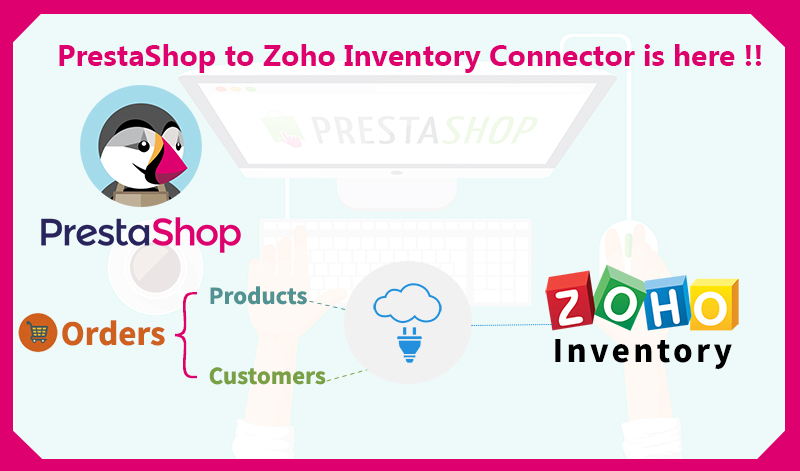
    PrestaShop to Zoho Inventory Connector is here !!

    Products Customers

    Kloud Connectors is happy to announce addition of one more Connector to our family,Prestashop to Zoho Inventory Connector (PrestaTZIn) . Now, Prestashop users can sync their Sales Orders, Customers, Products and relevant taxes seamlessly with one of the most exciting Inventory Management software Zoho Inventory.

    Managing Inventory for eCommerce shop is very critical to their success. This connector is designed to follow help customers achieve solve this problem. It allows you to sync PrestaShop Orders, Customers and Products with Zoho Inventory. This ensures your inventory management/warehouse management team is on the same page.

    This integration between PrestaShop and Zoho Inventory by Kloud Connectors gives you a facility to schedule the syncs. This way, you don’t have to remember to sync them, the changes will get synced automatically everyday at the time of your choice. The dashboard of your Kloud Connectors account will show you Sync Details as well as Sync Errors if any, so that you can take corrective actions right there. Giving Such transparency in syncs, such control over data to all the users is a hallmark of Kloud Connectors. And for this connector as well, we have provided all these facilities to give a consistent experience to all our users. As usual, this connector comes with unlimited Invoice sync capabilities.

    15 days Free Trial is available for PrestashopTZIn Conncetor so that you can see it in action before clicking the buy button. The price of monthly subscription, where there is no limit on number of records imposed by us, is priced attractively at US$ 29.99 per month. For such a small amount, what you get is a hassle free working with both the systems that you love, Prestashop and Zoho Inventory.

    If you are a Zoho Inventory User and Prestashop fan, why don’t you give it a try ? Trial is Free.

    Try Now annual plan monthly plan

  • BigCommerce to ZohoBooks Connector gets an Update !!

    BigCommerce to ZohoBooks Connector gets an Update !!

    KloudConnetors updates BigCommerce to Zoho Books Connector !!

    KloudConnetors updates BigCommerce to Zoho Books Connector !!

    The new version will allow customers to select which orders to sync to Zoho Books based on order status.

    Many of our customers had asked if they can sync the orders from BigCommerce with specific status instead of importing all the orders. This was also making the life difficult for the customers as all orders were getting synced including cancelled. As usual, our customers ordered and we delivered.

    KloudConnectors is pleased announce enhancement to the connector will have an option for customers to select which orders they want to sync with Zoho Books.  BigCommerce to Zoho Books connector syncs customers, orders , products from BigCommerce to Zoho Books.

    How to use this feature ?

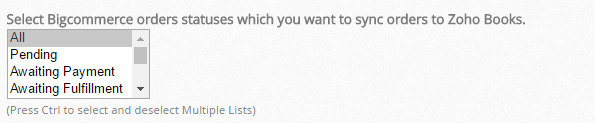
    • Customer needs to go to Connector settings and select the orders with correct statuses to sync. It is a multi-select dropdown. If you don’t select anything then connector will import all the orders by default.

    orders by default

    • If one has created custom statuses , they can add that status in the text box

    status in the text box

    • Save the settings

    Save the settings

    We hope this feature would be useful for the customers who are using our BigCommerce to Zoho Books Connector. If you have any questions, you can reach our support team.support@kloudconnectors.com.

    Try Now annual plan monthly plan

  • BigCommerce to Zoho Inventory Connector gets update !

    BigCommerce to Zoho Inventory Connector gets update !

    KloudConnetors updates BigCommerce to Zoho Inventory Connector !!

    BigCommerce to Zoho Inventory Connector gets update !

    The new version will allow customers to select which orders to sync to Zoho Inventory based on order status.

    Many of our customers had asked if they can sync the orders from BigCommerce with specific status instead of importing all the orders. This was also making the life difficult for the customers as all orders were getting synced including cancelled. As usual, our customers ordered and we delivered.

    KloudConnectors is pleased announce enhancement to the connector will have an option for customers to select which orders they want to sync with Zoho Inventory.  BigCommerce to Zoho Inventory connector syncs customers, orders , products from BigCommerce to Zoho Inventory.

    How to use this feature ?

    • Customer needs to go to Connector settings and select the orders with correct statuses to sync. It is a multi-select dropdown. If you don’t select anything then connector will import all the orders by default.

    orders by default

    • If one has created custom statuses , they can add that status in the text box.

    status in the text box

    • Save the settings.

    Save the settings

    We hope this feature would be useful for the customers who are using our BigCommerce to Zoho Inventory Connector. If you have any questions, you can reach our support team. support@kloudconnectors.com.

    Try Now annual plan monthly plan

  • New features in KloudConnectors !!!

    New features in KloudConnectors !!!


    As world is celebrating holiday season, our team is working hard to improve our customer experience. We would be rolling out following features in all our kloudconnectors.

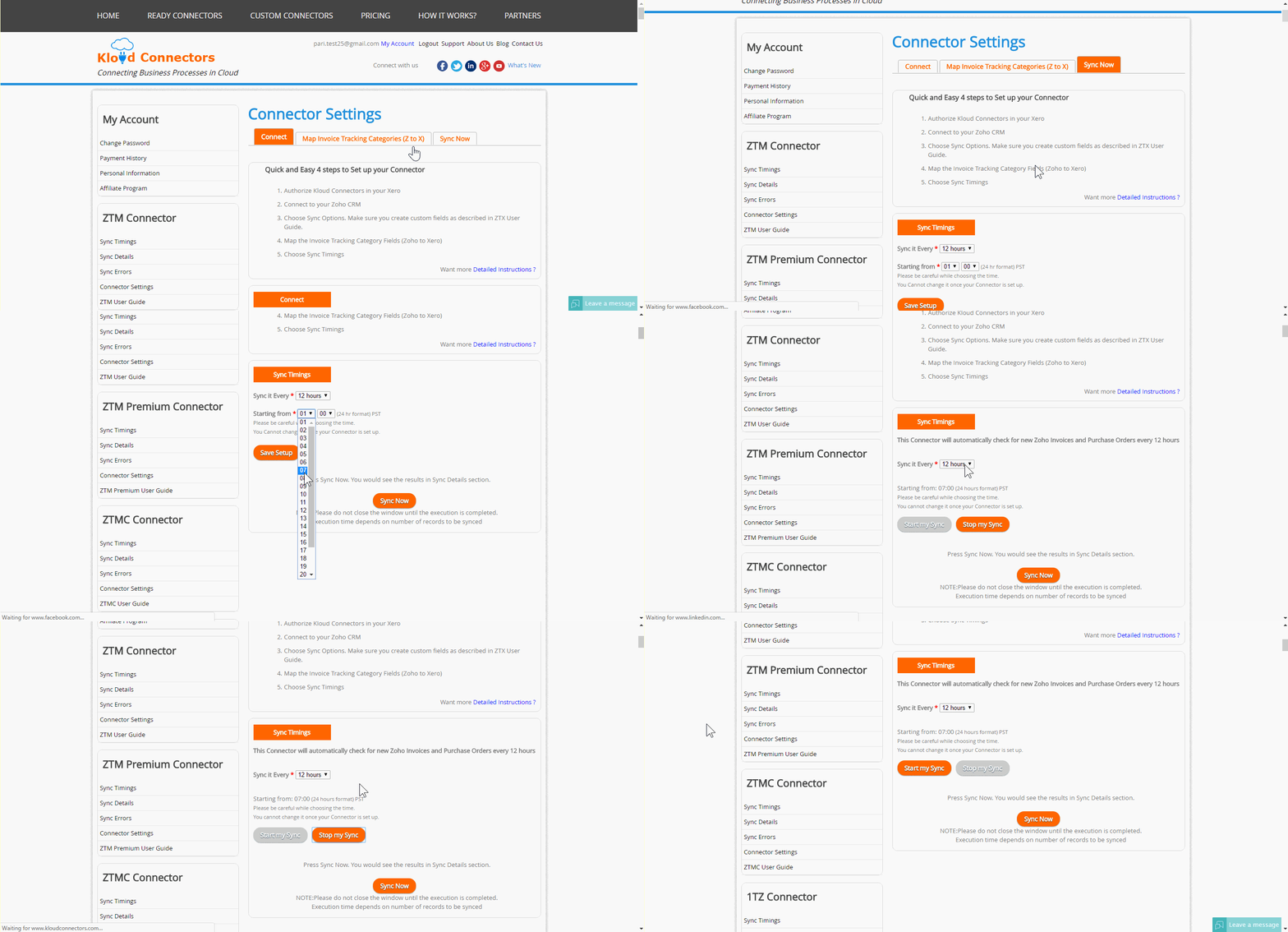
    • Start and stop sync : Sometimes, you would like to stop your syncs for few days or few weeks by keeping your subscription on for some reason. Earlier you had to send an email to us for doing this. Now it is available in the connector dashboard so that you can put a temporary pause on the connector and start.


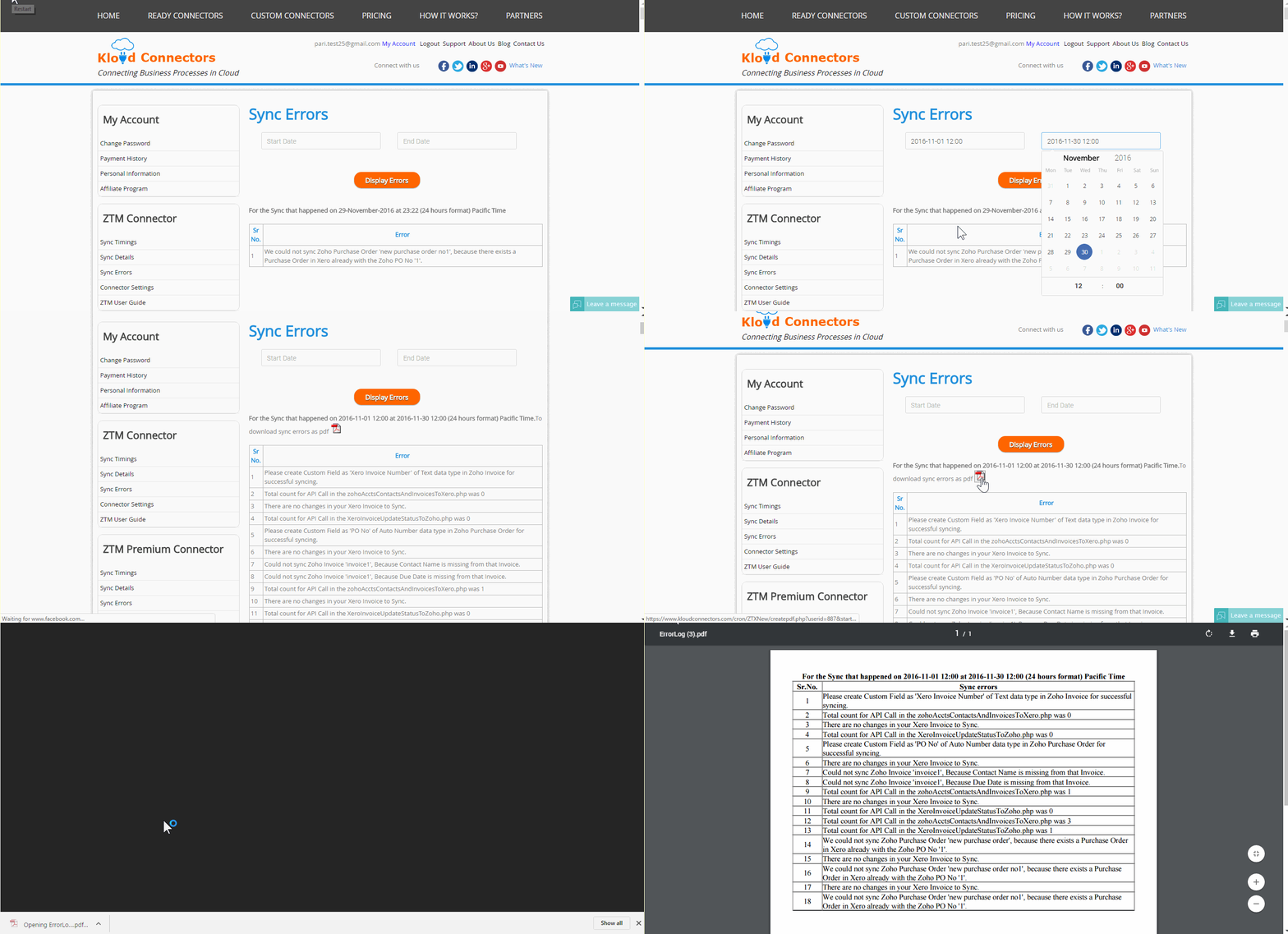
      •  Sync errors email notifications : Many customers had requested us to notify them if there were errors in their syncs. Earlier they had to login to KloudConnectors to find errors. Now, they would get an email from KloudConnectors if their syncs result in errors.


      • Sync error history : We have added a feature which would help customers to find sync errors between two dates for their customers. You can specify dates and we shall give you pdf download with all the sync errors.


    We hope this would improve your experience with Kloud Connectors.

  • How to Migrate to New Pricing Plans of KloudConnectors ?

    How to Migrate to New Pricing Plans of KloudConnectors ?

    faq-on-price-hike-at-kloudconnectors

    HOW TO MIGRATE TO NEW PRICING PLANs on KLOUDCONNECTORS.

    Since our last email about price hike, many customers have asked for detailed steps on how to migrate to new pricing plan. So we thought of creating FAQs for migrating to new pricing plan.

    FAQ’s on Price Hike

    1. Why is KloudConnectors increasing the prices now ? It has been kept same for last 4 years.

    For the last four years, KloudConnectors have charged the same  rates for all the connectors in spite of rising office expenses, currency devaluation, server cost and salary increases. We have made every attempt to avoid the increase, but we refuse to compromise on quality. This is our only recourse. Effective November 5, 2016, we have increased the price of connectors across the board.

    1. Who would be affected with this price rise ?

    The changes are applicable to all future and existing customers. This excludes all customers who have bought connector subscription after 5th Nov, as they are already on new pricing plan.

    1. I am using kloudconnectors for several years now, what do I need to do ?

    You would need to follow following process:

    • Login to KloudConnectors
    • Select your connector from the ready connectors page
    • It is a good idea to migrate to new plan on the last day of your monthly subscription renewal. You can find this date from your connector kloudconnectors account and check the order date.
    • Select your plan (Monthly or Annual). Annual plan offers $60 discount over Monthly plan. Since you are using it for few years now, we would strongly recommend you to go for Annual Plan.
    • Buy the connector . We accept only PayPal at this point in time.
    • Once you buy the connector and the email is received, send an email to support@kloudconnectors.com with your new order number
    • Login to your Paypal account and cancel your old subscription with name “SUVICHARTEC”.

    4. Do I need to change anything in set up ?

    No. KloudConnectors will take care of it.

    1. I was on Monthly plan earlier. Can I buy annual plan ? 

    Yes. You can buy annual plan and save $60 per annum. In fact, we would recommend you to do this.

    1. What happens if I decide to cancel after 3 months into annual plan ?Do you offer refund for unused months ?

    No. We don’t offer any refund. Your subscription will expire on your renewal date. Remember, we offer free                 trial period so that customers can be sure that they can use these connectors for their businesses.

    1. Do you have any deadline for existing customers to shift to new plan ?

    Yes. We are requesting all the customers to migrate to new plan by Dec 31st 2016.

    1. What happens if we are not able to migrate to new plans by 31st Dec 2016

    We will try to reach you again and see if we can migrate you to new plan. So you may continue to use                       connector for few more days. After that we shall turn them off and cancel your subscription.

    1. I didn’t renew by 31st Dec 2016 and also couldn’t renew after grace period. My connector is turned off. How to enable it again ?

    You can login to kloudconnectors anytime and buy the subscription again. There is no time limit for this.

    1. I have few more questions, could you tell us how to contact you ?

    You can always reach us on support@kloudconnectors.com or call or chat with us. As usual, we shall resolve       all your queries within 24 hours.

  • KloudConnectors announces Campaign Monitor, Constant Contact , iContact Connectors for SugarCRM !

    KloudConnectors announces Campaign Monitor, Constant Contact , iContact Connectors for SugarCRM !

    SugarCRM

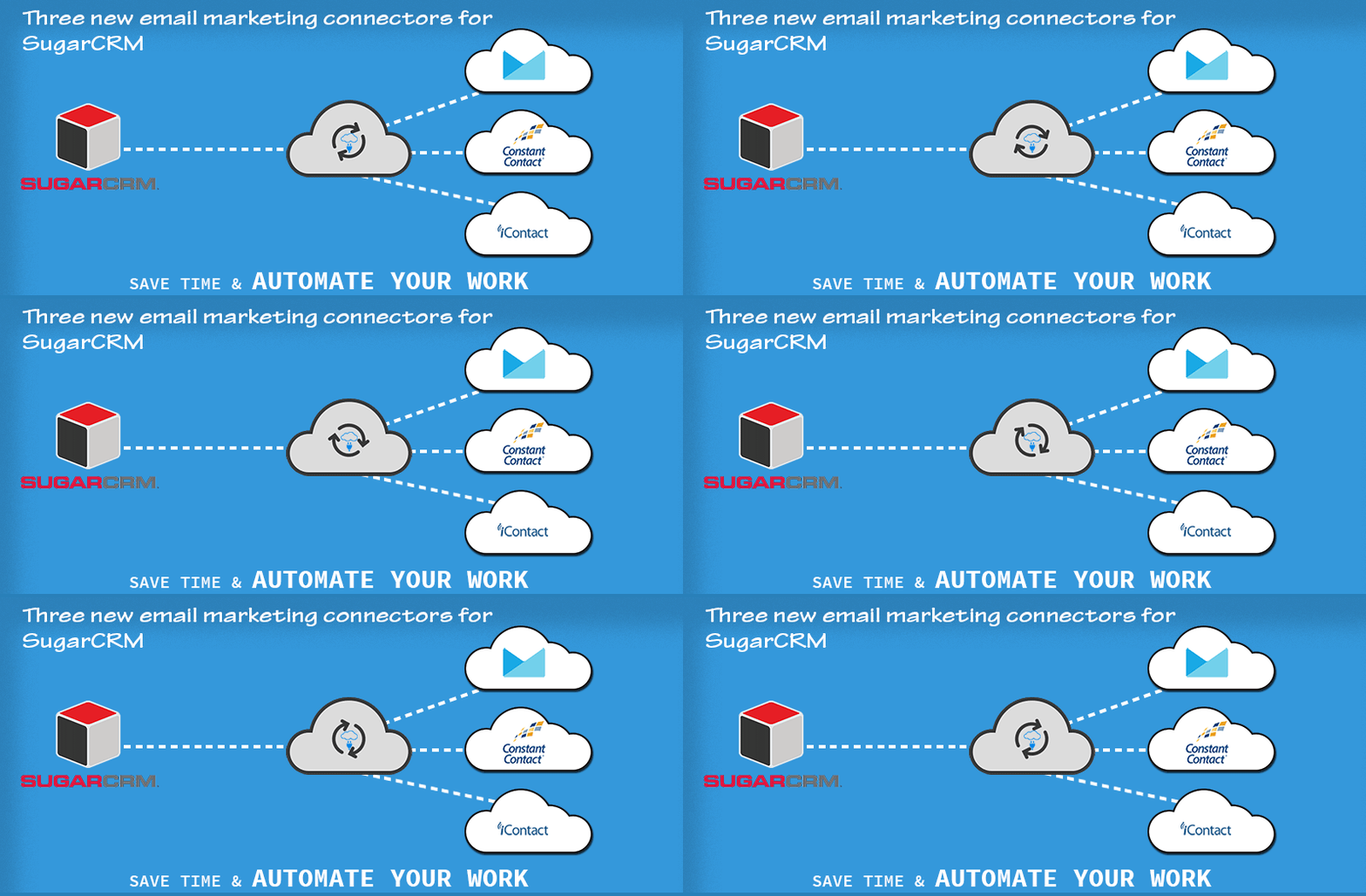
    KloudConnectors announces three new email marketing connectors for SugarCRM

    KloudConnectors has announced Campaign Monitor, Constant Contact and iContact Connectors for SugarCRM. SugarCRM is one of the leading CRM system. Although SugarCRM has built in email campaigning module, many customers are looking for more sophisticated and feature rich email marketing systems for sending their campaigns. This prompted KloudConnectors to build these connectors. Some of the features of this connectors are as follows.

    Features:

    • 15 days free trial – no credit card required
    • Sync Leads / Contacts with email marketing lists
    • Sync unlimited records
    • Schedule your sync once during set up and connector runs automagically every day
    • Sync email subscribers from Email marketing systems back into SugarCRM as Leads/Contacts
    • Sync on demand
    • Monitor your campaign’s success in SugarCRM for Constant Contact and Campaign Monitor connectors
    • Support is available through online chat , email and telephone
    • Low monthly and annual pricing
    • Subscription through PayPal. This ensure customers have full control on their subscriptions
    • Connector dashboard showing how many records synced , errors and next scheduled sync

    So what are you waiting for ?

    Sugar CRM to iContact Connector

    sctic

    Sugar CRM to Campaign Monitor Connector

    sctcm

    Sugar CRM to Constant Contact Connector

    stcc

    Try Now Try Now Try Now
    monthly plan

    annual plan

    monthly plan

    annual plan

    monthly plan

    annual plan

  • KloudConnectors will undergo price revision for all connectors from 1st Nov 2016

    KloudConnectors will undergo price revision for all connectors from 1st Nov 2016

    KloudConnectors announces Price increase !!

    Increase in price kloudconnectors

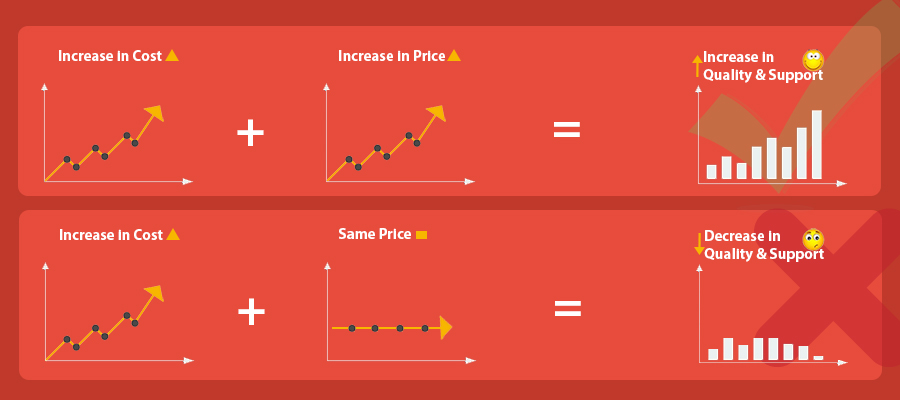
    For the last four years, KloudConnectors have charged the same  rates for all the connectors in spite of rising office expenses, server cost and salary increases.We have made every attempt to avoid the increase, but we refuse to compromise on quality. This is our only recourse. Effective November 1, 2016, we shall increase the price of connectors across the board. We would also be introducing annual plan. Many of our customers are with us for several years and this annual plan should help them. We shall announce the new pricing structure soon.

    We value you as a client and want to continue serving you. We hope to continue our excellent relationship with our clients, and assure you our quality of service will reflect a similar increase.

  • Product Update: KloudConnectors now supports EU server for Zoho Apps

    Product Update: KloudConnectors now supports EU server for Zoho Apps

    EU servers for zoho apps

    Support for Zoho EU servers

    KloudConnectors is pleased to  announce support for EU servers in all kloud connectors for Zoho products. Now, all EU customers who are on EU server of Zoho would be able to use KloudConnectors for connecting their business apps.

    How to sign up and configure support for EU server ?

    Create an account with kloudconnectors.

    • Once you are logged in select your connector by going to Ready Connectors page.
    • Start Trail or subscribe.
    • Goto Connector setting page in MyAccount Section.
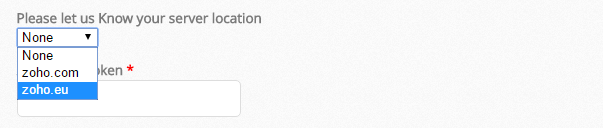
    • Select your server location and set up your connector.


    • EU servers for zoho apps


  • Zoho CRM to SignNow Connector

    Zoho CRM to SignNow Connector

    KloudConnectors Announces Zoho CRM to SignNow connector !! Improve cashflow !!

    Zoho CRM to SignNow Connector KLOUDCONNECTORS

    Improve your Cashflow

    Get your Zoho CRM Quotes Digitally signed with SignNow and save time !! KloudConnectors has announced Zoho CRM to SignNow connector to e-sign your quotes.  The connector takes all the quotes from Zoho CRM which are of specific status and sends it to your customers for digital signature. This saves tons of time in printing, scanning and uploading your quotes. The connector also attaches signed quotes to respective quotes for reference. KloudConnectors always look for opportunities to make our customer’s life easier. We decided on SignNow because of their features and also cost. All other e-signature software had a higher cost of sending documents through API. SignNow is more value for money.

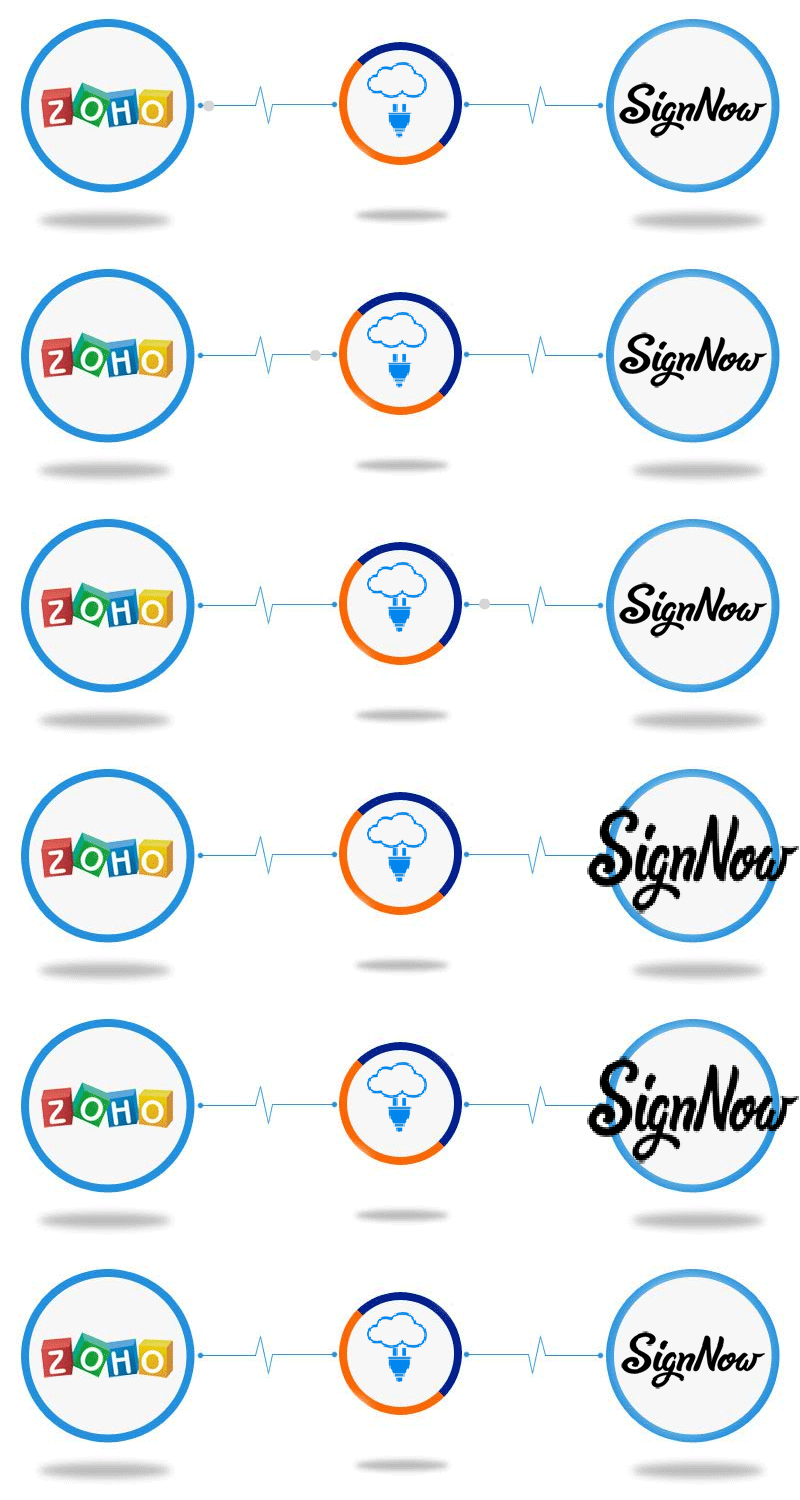
    This helps in shorter sales cycle and improves your cashflow. The connector works in following manner:

    1. Create a KloudConnectors account and try or buy the connector
    2. Set up your connector
    3. Create a quote in Zoho CRM
    4. When the connector runs, it send the Quote for signature to your customer via SignNow for e-Signature
    5. Your customer signs and the document is filed as attachment to this quote in Zoho CRM. Connector also keeps the status of the document by attaching notes to Quote

    The connector creates a standard Quote template for e-Signature. We can also customize the quote template based on your exact template at an additional cost. Please get in touch with support@kloudconnectors.com for customizing your quote template.

    Why use ZTSN?

    • Automatically adds the Zoho CRM Quotes as Document in SignNow.
    • Send the Document from SignNow to the related customer for the signature.
    • Sync Back the signed document in Quote as Attachment and the statues of document is placed in notes.
    • Stop going back and forth between your Zoho CRM and SignNow for Important Business information.

    Features

    • Schedule the Sync once and Enjoy the benefits every single day. Focus on your core business
    • Connect your 2 most Important Systems of your Business, your CRM and your e-signature system.
    • NEW* Sync any time

    This connector is available for 15 days free trial.

    Try NowBuy Now


  • KloudConnectors announces bi-directional Inventory sync connector between Magento and Zoho Inventory !!!

    KloudConnectors announces bi-directional Inventory sync connector between Magento and Zoho Inventory !!!

    Magento and Zoho Inventory Bi-directional Stock Sync Connector

    Inventory sync connector between Magento and Zoho Inventory

    Keep Magento and Zoho Inventory stock level in Sync !!

    Many of our customers had asked for inventory level sync between Magento and Zoho Inventory. KloudConnectors is pleased to announce general availability with immediate effect.

    With this connector customers would be able to keep the inventory level in both the system up to-date. This will ensure that one doesn’t sell the out of stock items on Magento store.

    Why use Zoho Inventory to Magento Bidircetional stock sync Connector ?

    • ZInvTMagentoSS integrates Ecommerce system with the Inventory Management software.
    • It connects your Magento and Zoho Inventory.
    • It can sync all your Products in Zoho Inventory.
    • It can sync the inventory level your Magento Products into Zoho Inventory.

    Features

    • Schedule the Sync once and Enjoy the benefits every single day. Focus on your core business
    • Sync Products from your Magento into Zoho Inventory autoMagically.

    Also check out  our other Magento to Zinventory connector for syncing orders related customers and products here:

    This connector is available for 15 days free trial.

    Inventory sync connector between Magento and Zoho Inventory

    • One Way Sync
    • Unlimited Products
    • Unlimited Orders


    Try Now Buy Now


    Magento to Zinventory connector For Bi-directional Stock Sync Connector :

    This connector is available for 15 days free trial.

    zinvtmagentoss

    • Two Way Sync
    • Unlimited Product Sync
    • Get Product Inventory from Magento


    Try NowBuy Now